TikTok Auto Comment: Automate Engagement With MKT TikPro
On TikTok, the accounts that show up early and often in the comments are the ones that get seen — but nobody can sit there commenting on hundreds of videos, replying to every thread, and doing it across several accounts at once. That is exactly what tiktok auto comment solves: it posts and replies to comments for you, targeted by keyword and paced so it stays natural. In this guide I will show you how to run it safely with MKT TikPro, the TikTok automation software from MKT Software. Contact my Telegram to receive full information.
I. Why manual commenting stalls your TikTok growth
Quick answer: Manual commenting stalls growth because reach on TikTok rewards being early and consistent, and one person cannot comment on enough videos, lives, and replies to move the needle — while repeating the same text by hand gets accounts flagged.
Think about where TikTok engagement actually comes from. A sharp, early comment on a trending video pulls profile visits. A quick reply keeps a thread alive. Seeding a few comments on your own posts makes them look active. Each of these is small, but they only work when they happen fast and often — and that is precisely what a human cannot sustain across a whole account network.
The risk side is just as real. TikTok watches for accounts that paste identical comments, act in bursts, or move faster than a person could. Do it manually from a handful of logins and you look like the exact pattern the platform polices, so you lose reach right when it starts building.
The bottleneck is not effort — it is the shape of the work: the same small actions, repeated hundreds of times, across too many accounts. A tiktok auto comment tool like MKT TikPro removes the repetition, targets the right videos by keyword, and paces everything so your engagement looks human at scale.
II. What tiktok auto comment actually does
Quick answer: Tiktok auto comment is software that posts and replies to comments automatically at scale. MKT TikPro comments on videos by ID, keyword, or trending hashtag across many managed accounts from a single device.
MKT TikPro is TikTok automation software built by MKT Software for sellers and creators who grow through engagement. Instead of you opening one video at a time, it works from your targets and a set of comment variations: you tell it which videos, keywords, or hashtags to hit and what to say, and it comments and replies across your accounts on a schedule. It runs on a Windows 10 (or newer) laptop or PC, and after purchase the MKT Software team installs it and trains you hands-on.
Importantly, “auto” here means controlled, not reckless. Every account can carry its own dedicated proxy, comment text is rotated so no two posts look identical, and actions are paced in batches — so you get volume that still behaves like real people. It sits in the wider MKT Software product line alongside the other automation tools.
1. Frequently asked questions
Is tiktok auto comment safe? It is far safer when each account uses a dedicated proxy and comments are paced in batches. MKT TikPro centralizes proxy assignment and pacing to reduce the risk of flags.
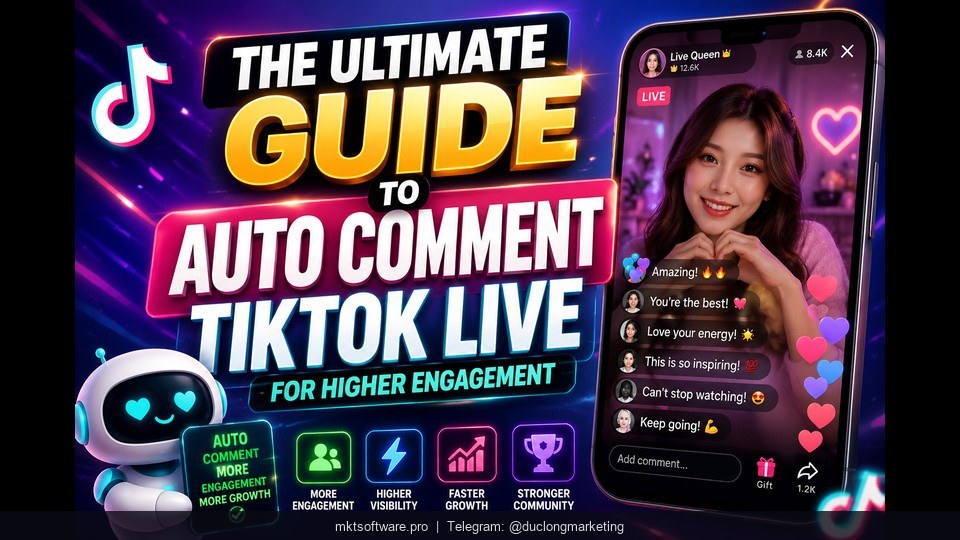
Can it comment on live streams? Yes. MKT TikPro interacts with livestreams in real time — watching, liking, and commenting — and can seed livestream engagement to keep it natural.
How many accounts can it run at once? It centrally manages many accounts, content, videos, and proxies in one system, with grouping and activity tracking.
Are there recurring fees? No. You pay once for the licensed term, with free updates during that period and no hidden monthly fees.
III. Inside MKT TikPro: the commenting engine
Quick answer: A tiktok auto comment campaign in MKT TikPro uses three feature groups — targeted commenting, auto-reply plus live engagement, and seeding with per-account proxies to stay safe.
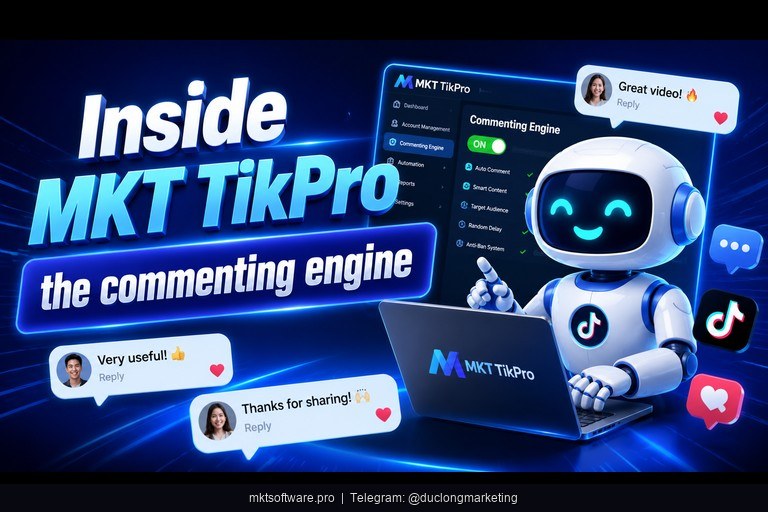
1. Auto-comment by ID, keyword, and hashtag
This is the core. MKT TikPro can auto-comment on specific posts or videos by ID, group, or profile — ideal when you have exact targets. It can also comment on videos containing your target keywords to reach buyers as they browse, and comment on trending hashtag content to ride visibility spikes. You store several comment variations so the same message never repeats word for word.
2. Auto-reply and live engagement
Engagement is a two-way street. MKT TikPro can auto-reply to comments on your posts and videos to keep threads active and natural. It also interacts with livestreams in real time — watching, liking, and commenting — and engages with trending audio and comments to build trust and authority around your accounts.
3. Seeding and staying safe at scale
Volume only helps if accounts survive. MKT TikPro adds video, keyword, and livestream seeding to lift comments and views on your targets, while its centralized manager keeps every account, video, and proxy in one place. Assigning a dedicated proxy per account gives you the stability and checkpoint prevention that make sustained commenting possible.
| Feature | What it does | Why it matters for auto commenting |
|---|---|---|
| Keyword / hashtag commenting | Comments on videos by keyword or trend | Reaches the right viewers first |
| Auto-reply | Answers comments on your posts | Keeps engagement natural and alive |
| Livestream interaction | Watches, likes, comments in real time | Boosts live reach and trust |
| Dedicated proxy per account | One proxy per account | Stability and checkpoint prevention |
IV. A safe tiktok auto comment playbook for this week
Quick answer: Group your accounts with a proxy each, pick targets by keyword or hashtag, rotate 3-5 comment variations, then run auto-comment and auto-reply in paced batches — a full campaign you can start in a few days.
Step 1 — Set up accounts. Add your accounts to the centralized manager, group them, and assign a dedicated proxy to each so they behave independently.
Step 2 — Choose targets. Point MKT TikPro at videos by keyword, trending hashtag, or specific IDs that match your ideal buyer — precision beats volume.
Step 3 — Write variations. Store 3-5 comment versions per campaign. Keep them short, relevant, and human, so the rotation never posts two identical comments.
Step 4 — Run, pace, and reply. Launch auto-comment in paced batches, turn on auto-reply for incoming comments, and track which videos and variations drive the most engagement.
This is where the decision gets easy. MKT TikPro is used within a base of 50,000+ MKT Software customers — many of them TikTok Shop sellers — you pay once for the licensed term with no recurring fees, and it is backed by a 100% money-back guarantee in the first 7 days if it does not work as described, plus at least two dedicated support staff to help you set up. Start with one campaign this week, then scale what works. Contact my Telegram to receive full information on setup and pricing.
V. Tutorial Video Tiktok Auto Comment
Watch this short walkthrough to see MKT TikPro in action — setting up accounts with proxies, targeting videos by keyword, and running tiktok auto comment on both videos and live streams from one dashboard.
Conclusion
TikTok auto comment is not about spamming — it is about showing up early and consistently on the right videos, at a volume no single person can match, without tripping the platform’s spam controls. MKT TikPro handles the full workflow: commenting by keyword, hashtag, or ID, auto-replying to keep threads alive, engaging live streams, and seeding views while a dedicated proxy protects each account. With buy-once pricing, a 7-day money-back guarantee, and hands-on support after purchase, it is a low-risk way to turn commenting into steady reach. Pick your first target list this week and let the tool do the commenting. Contact my Telegram to receive full information.