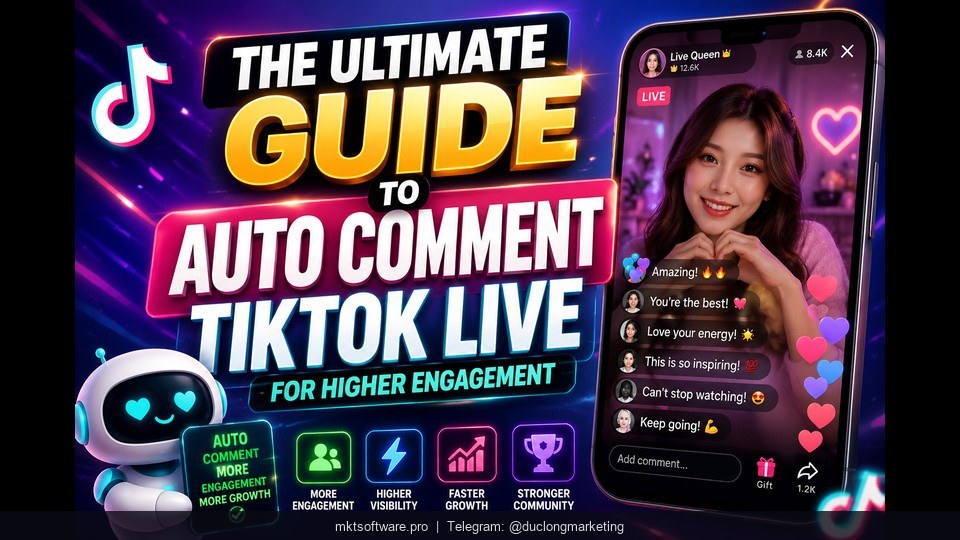
Engagement is the whole game on a TikTok livestream. When viewers land in a room and see comments moving, likes rising, and questions being answered, they stay; when they see a silent chat, they swipe away in seconds. This is the ultimate guide to auto commenting on TikTok Live for higher engagement, and we will do it with MKT TikPro, the TikTok automation software built to keep rooms active across many accounts at once. If you want the setup done with you, Contact my Telegram to receive full information.

I. Why Engagement Decides Whether a TikTok Live Succeeds
TikTok pushes livestreams that look alive. In the first few minutes, the platform and real viewers both read the same signals: are comments coming in, are hearts climbing, is anyone answering? A room that feels busy pulls more people in; a quiet one gets skipped. For a single seller running one stream this is hard enough, and for anyone running several accounts or several sessions a week it is simply not possible to keep every chat warm by hand.
That is the gap MKT TikPro fills. Instead of you typing the same greetings and product prompts over and over, the software keeps a natural stream of comments and interactions running on your target livestreams. The point is not to fake a crowd — it is to keep genuine activity visible so real viewers feel comfortable joining in. Done well, engagement compounds: more visible activity brings more real viewers, which brings more real comments. If you want to see it working on your own accounts, Contact my Telegram to receive full information.
II. What MKT TikPro Is and How Auto Comment TikTok Live
MKT TikPro is TikTok automation software from MKT Software, built to manage and operate a large number of TikTok accounts from one system. From a single dashboard you handle accounts, content, videos, and proxies, and you run interaction and seeding tasks across all of them at once. It is the tool sellers reach for when they need to run many accounts professionally without babysitting each one.
For live engagement specifically, MKT TikPro can auto-comment on target livestreams and videos by ID, group, or profile, comment on content that contains your target keywords, and comment on trending hashtag content to boost visibility. It interacts with livestreams in real time — watching, liking, and commenting as the stream runs — and it can auto-reply to comments so the conversation stays natural rather than one-directional. Put together, these features let MKT TikPro keep a livestream chat active across many accounts without you sitting at the keyboard.
III. The MKT TikPro Features That Drive Higher Engagement
Higher engagement only sticks if it looks human and your accounts stay safe. These are the MKT TikPro features that make that possible.

1. Account and Proxy Management for Safe Scale
Everything starts with organization. MKT TikPro gives you centralized management of all accounts, content, videos, and proxies in one system, with classification, grouping, renaming, and activity tracking. Just as important, it lets you assign a dedicated proxy to each account. Running many accounts from one clean IP is one of the fastest ways to get flagged; a separate proxy per account, combined with behavior that mimics a real user, is what keeps a multi-account setup stable while you scale engagement.
2. Livestream Interaction and Seeding
This is the heart of higher engagement. MKT TikPro interacts with livestreams in real time — it can watch, like, and comment as the stream runs. On top of that, Livestream Seeding increases views, hearts, comments, and shares to maintain natural engagement, and the tool engages with trending audio and comments to build trust and authority. Used together, real-time commenting plus livestream seeding keep both the chat and the on-screen signals active, which is exactly what encourages real viewers to stick around. If you also push short videos across platforms, pair it with MKT Viral for multi-platform reach or MKT Tube for YouTube growth.
3. Frequently Asked Questions
Does MKT TikPro have a free trial or download? There is no public trial or free download. Per company policy the software is demoed directly to each customer by a support staff member, and you buy once for the licensed term with no recurring or hidden fees afterward.
How much does MKT TikPro cost? MKT TikPro uses a pay-once licensing model with free updates during the license period, rather than a recurring subscription. For the current price for your setup, Contact my Telegram to receive full information.
Is auto commenting on TikTok Live safe? MKT TikPro assigns a dedicated proxy per account and mimics real user behavior with randomized timing, which reduces risk. No tool can guarantee zero bans, so keep your comment volume and timing natural and avoid spammy, repetitive text.
IV. Step-by-Step: Auto Comment TikTok Live for Higher Engagement
Here is the practical playbook. Follow these four steps and you will have engagement running on a live stream from a clean, organized setup.

Step 1 — Add and organize your accounts. Import your TikTok accounts into MKT TikPro, group them by shop or campaign, rename them so they are easy to track, and assign a dedicated proxy to each account. This foundation is what keeps everything safe once tasks start running.
Step 2 — Choose your targets and build a comment pool. Point the tool at the livestreams you want to engage — by UID, keyword, or trending hashtag — then write a varied pool of comments: greetings, product questions, and prompts that fit your niche. A varied pool is what keeps the chat looking human instead of copy-pasted.
Step 3 — Set timing, frequency, and rotation. Configure how often comments post and rotate them across your comment pool and accounts. Slower, randomized timing looks far more natural than a burst of identical lines, and it is the single biggest difference between healthy engagement and an obvious bot.
Step 4 — Launch, monitor, and amplify with seeding. Start the task, watch the status and posting history in the dashboard, and adjust as you learn. For bigger streams, run Livestream Seeding alongside auto comment so views, hearts, and shares climb together with the chat activity.
MKT TikPro is trusted by more than 50,000 customers, from TikTok Shop sellers to agencies and KOL teams. You pay once for the licensed term with free updates during that period, and there is a 100% money-back guarantee within the first seven days if the software does not work as described. After purchase, the team installs it for you and gives hands-on training, so you are never left to figure the setup out alone. To get set up on your accounts, Contact my Telegram to receive full information.
V. Tutorial Video Auto Comment TikTok Live
Watch the full walkthrough below to see MKT TikPro set up auto comment on a live TikTok stream for higher engagement, from start to finish.
Conclusion
Keeping a TikTok livestream engaged by hand does not scale, but auto commenting with MKT TikPro does. With centralized account and proxy management, real-time livestream interaction, and Livestream Seeding working together, you can keep the chat warm and the on-screen signals healthy across many accounts at once — safely, when the timing stays natural. Follow the four-step setup and you will have higher engagement running quickly, backed by a buy-once license and hands-on support. Ready to start? Contact my Telegram to receive full information.