Facebook Page Auto Posting Tool | Facebook Marketing Automation
If you manage more than a handful of Facebook pages, you already know the pain: logging into each account, copying the same content, pasting it into different groups, and repeating the cycle three times a day. A facebook page auto posting tool takes that entire workflow off your plate. MKT Post by MKT Software is a complete Facebook posting automation solution trusted by over 50,000 sellers and marketers — handling everything from bulk posting and auto-commenting to messaging and group scraping, all from one dashboard. Contact my Telegram to receive full information.
I. Why Manual Fanpage Posting Costs More Than You Think
Quick answer: Posting manually to multiple Facebook pages wastes 3–5 hours every day — hours that should go to closing sales, answering customer messages, and growing your business instead of copy-pasting content across tabs.

Here is the math. Each group or page takes roughly 2 minutes to open, compose, attach media, and publish. If you post to 50 groups across three daily sessions — morning, midday, and evening — that is 300 minutes, or a full 5 hours spent on nothing but posting. Add the time you lose switching between accounts, re-entering credentials, and waiting for slow page loads, and the real number is even higher.
The hidden costs go beyond time. Manual posting means you miss peak-engagement windows because you cannot publish to all targets simultaneously. Content becomes inconsistent across pages — different captions, forgotten hashtags, missing images. And when you manage multiple Facebook accounts by hand, the constant login-logout cycle raises red flags with Facebook, increasing the chance your accounts get restricted.
This is exactly why a facebook page auto posting tool has become essential for anyone selling or marketing on Facebook. Instead of doing the same repetitive task hundreds of times a week, you prepare your content once, pick your targets, set the schedule — and the software handles the rest while you focus on revenue.
II. What a Facebook Page Auto Posting Tool Actually Does
Quick answer: A facebook page auto posting tool lets you schedule, bulk post, and distribute content across multiple fanpages, groups, and profiles from a single dashboard — automatically, with natural time delays that keep your accounts safe.
At its core, a facebook page automation software handles three things: composing content with templates and media, selecting where that content goes (groups by ID, groups by keyword, personal profiles, or Reels), and executing the posts on a timed schedule with configurable delays between each one. The scheduling piece is critical — posting 50 times in 30 seconds looks like spam to Facebook, but spacing posts a few minutes apart mimics natural human behavior.
Good tools go beyond basic posting. Auto-commenting on posts by post ID or group ID keeps your content visible in active threads. Messaging functions let you reach prospects directly by profile or Page ID. Friend management features expand your network by sending requests based on suggestions, names, or profile IDs — and clean up inactive connections automatically. Group scraping helps you find the right groups before you even start posting, pulling member data by keyword, location, or specific profiles.
What separates a reliable tool from a risky one comes down to three factors: natural time delays between actions, a complete posting history log so you can track every post and comment, and dedicated technical support when Facebook changes its rules — which happens regularly.
1. Frequently Asked Questions
Will a facebook page auto posting tool get my account banned? The risk is significantly lower than manual mass-posting when you use software with configurable time delays between posts. MKT Post lets you set custom intervals so your activity pattern looks organic to Facebook, reducing the chance of restrictions.
Can I schedule posts to multiple Facebook pages at once? Yes. MKT Post supports adding multiple Facebook accounts and posting to all their joined groups, pages, and profiles from a single dashboard with scheduled timing and delay settings.
Is there a free Facebook page auto posting tool worth using? Free tools typically have limited features, no technical support, and potential security risks for your account credentials. MKT Post is a pay-once solution with full features, free updates during the license period, and two dedicated support staff assigned to every customer.
Does MKT Post support posting Reels to profiles? Yes. MKT Post supports auto-posting Reels to personal profiles alongside regular text and media posts to groups, pages, and profiles.
III. MKT Post — The All-in-One Facebook Page Auto Posting Tool
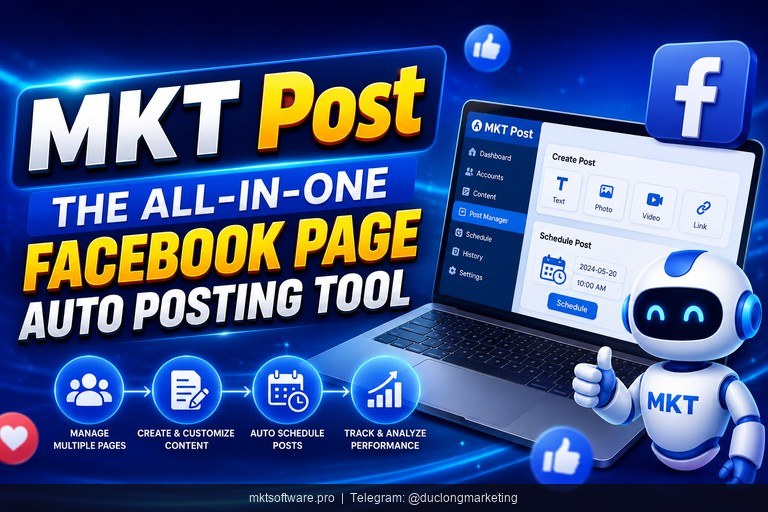
Quick answer: MKT Post is a facebook page auto posting tool built by MKT Software that combines bulk posting, auto-commenting, messaging, friend management, and group scraping into a single Windows desktop application — everything you need to run Facebook marketing at volume.
1. Auto Posting and Commenting
Posting is the core function, and MKT Post covers every channel. You can post to joined groups by group ID or group keywords — no need to open each group manually. Just input your list and the software distributes your content across all of them with timed delays. MKT Post also supports auto-posting to your personal profile and auto-posting Reels to your personal profile, giving you full coverage of Facebook’s content formats. Every post is logged with timestamps so you can track and view your full posting history.
On the commenting side, MKT Post handles auto-commenting on posts by post ID or group ID, commenting on personal profiles, and commenting in joined groups. The software saves the full history of all comments made — you know exactly where you engaged, when, and with what content. This matters for sellers who use commenting as a lead-generation strategy across dozens of groups daily.
2. Messaging, Friend Management, and Group Scraping
MKT Post goes beyond posting to cover proactive outreach. You can send messages to friends by profile, send messages by personal profile ID, or send messages via Page ID with access rights. The software logs all message content and timestamps, giving you a clear record of every conversation.
For growing your network, MKT Post supports sending friend requests by suggestions, by full name, or by profile ID. To keep your friend list high-quality, the auto unfriend and unfollow feature removes inactive connections automatically. The software can also unlock restricted accounts and handle Checkpoint 282 — common issues when running multiple Facebook accounts.
Before posting, you need to know where your audience is. MKT Post helps you scrape group members by keyword, specific profile, or geographic location, scrape group IDs by searching keywords, and retrieve group data including name, description, member count, and privacy status. You can also auto-join groups by UID or keyword to build your target list. Additional scraping covers likes, comments, and shares from specific UIDs or content — useful for competitor research and audience targeting.
| Feature Group | What It Does | Benefit |
|---|---|---|
| Auto Posting | Post to groups, profile, and Reels with scheduled timing | Save hours daily on content distribution |
| Auto Commenting | Comment by post ID, group ID, or profile | Keep your content visible in active threads |
| Bulk Messaging | Send messages by profile, profile ID, or Page ID | Reach prospects directly without manual outreach |
| Friend Management | Add friends by suggestion, name, or ID — auto-remove inactive | Grow a high-quality network on autopilot |
| Group Scraping | Scrape members, IDs, and group data by keyword or location | Find the right groups before you start posting |
IV. Set Up Your First Automated Posting Campaign in 4 Steps
Quick answer: Add your Facebook accounts, compose your content, select your target groups or pages, set your schedule — and let MKT Post handle the rest. Four steps to go from manual posting to a fully automated campaign.

Step 1 — Add your Facebook accounts. Open MKT Post and add one or more Facebook accounts. The software supports managing multiple accounts from a single dashboard, so you can handle all your pages and profiles in one place.
Step 2 — Compose your content. Write your post content, attach images or videos, and use spintax or hashtag templates if you want variation across posts. MKT Post supports bulk posting with templates, so you can prepare multiple content variations in advance.
Step 3 — Select targets and set delays. Choose your target groups by group ID or keyword, select profiles or pages, and configure the time delay between each post. A few minutes between posts keeps your activity looking natural and reduces the risk of Facebook flagging your account.
Step 4 — Run and monitor. Hit start and MKT Post distributes your content across all selected targets on schedule. Every post is logged with status, timestamp, and target — you know exactly what went where and when. If any post encounters an error, the log shows it immediately so you can adjust.
MKT Post is part of the MKT Software ecosystem alongside MKT Page (bulk fanpage management), MKT Group (group administration), MKT UID (customer data scraping), and MKT Care (account maintenance). The pricing model is pay-once for the license term — no recurring monthly fees, no hidden charges. Every customer gets the software installed by the MKT Software team with hands-on training, plus at least 2 dedicated support staff via Zalo for the entire usage period. And if the software does not work as described, there is a 100% money-back guarantee within the first 7 days. Contact my Telegram to receive full information about pricing and setup.
V. Tutorial Video Facebook Page Auto Posting Tool
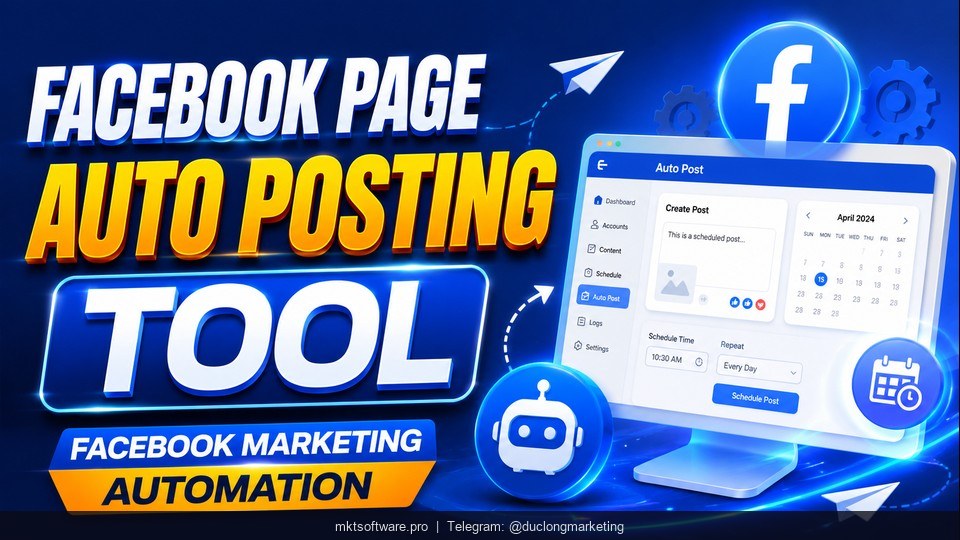
Watch the detailed video tutorial showing how to use the facebook page auto posting tool MKT Post — from adding your Facebook accounts and composing content to running your first automated posting campaign and reviewing the results.
Conclusion
Manual Facebook posting does not work when you are managing multiple pages, groups, and profiles at volume. A facebook page auto posting tool like MKT Post handles the entire workflow — posting, commenting, messaging, friend management, and group scraping — from one dashboard, with natural time delays that keep your accounts safe. With a pay-once pricing model, a 7-day money-back guarantee, and dedicated support staff assigned to every customer, the risk of trying it is close to zero. Give MKT Post a run on your next posting campaign. Contact my Telegram to receive full information.