Tool Warm Up Facebook Account MKT Care – Facebook Account Warming Software
I. What Happens When You Sell From a Cold Facebook Account
Quick answer: a freshly created or inactive Facebook account that starts posting sales content immediately gets flagged, restricted, or checkpointed — MKT Care warms accounts by simulating natural human activity so Facebook’s algorithm trusts them before you start selling. If you manage more than a handful of profiles, contact my Telegram to receive full information about how MKT Care automates the entire warming process.

The checkpoint trap catches most sellers off guard. Facebook monitors behavioural patterns constantly — accounts that jump from zero activity to high-volume posting trigger automated security reviews. The result is a restricted account, lost friends list, and wasted time rebuilding from scratch.
The trust timeline works against you when you rush. A properly warmed account builds engagement history, friend connections, and content interaction patterns that signal legitimacy to Facebook’s systems. Without this foundation, every post you make carries a higher risk of triggering a checkpoint.
What MKT Care replaces is the manual process of logging into each account daily, scrolling feeds, liking random posts, and adding friends one by one. Multiply that across dozens or hundreds of profiles, and you are looking at a full-time job that produces nothing directly — just preparation. MKT Care turns that preparation into a background process that runs while you focus on actual selling.
II. How MKT Care Warms Facebook Accounts Without Getting Flagged
Quick answer: MKT Care automates the full warming cycle — auto-read notifications, scroll newsfeed, watch stories and videos, react to posts, comment with customisable scripts, and add friends — all with individual proxies per account so Facebook never sees bulk activity from one IP address.
The foundation of account warming is making each profile behave like a real person opening Facebook daily. MKT Care’s account interaction automation handles this by auto-reading notifications, scrolling the newsfeed, and watching stories and videos on each account. These are the baseline signals Facebook expects from active users.
On top of passive browsing, MKT Care adds active engagement. Auto-react, comment, and share features use pre-set scripts to generate natural-looking interactions across the account’s feed, groups, and friend posts. You control the comment content, reaction types, and frequency — so the activity pattern matches what a real user would do.
Proxy Management is what keeps the whole operation safe. Each account gets its own dedicated proxy address, so Facebook sees each profile operating from a different location. Combined with configurable timing delays between actions, the pattern looks like separate users on separate devices — not one machine running hundreds of accounts.
MKT Care runs locally on your Windows machine. Your account credentials, scripts, and friend lists never leave your hard drive. Nothing is stored on external servers.
1. Frequently Asked Questions
What does warming up a Facebook account mean and why does MKT Care do it?
Warming up means gradually building natural activity on a new or inactive Facebook account — scrolling feeds, reacting to posts, commenting, adding friends — before using it for sales or marketing. MKT Care automates this entire process across hundreds of accounts simultaneously, so each profile builds trust with Facebook’s algorithm before you start posting commercial content.
How many Facebook accounts can MKT Care warm simultaneously?
MKT Care supports unlimited accounts. Each account gets its own proxy assignment, and all warming activities run independently. You manage every account from a single dashboard.
Will MKT Care get my Facebook accounts checkpointed?
MKT Care reduces checkpoint risk by assigning individual proxies to each account, using configurable timing delays between actions, and simulating natural browsing patterns. The software runs locally on your machine so credentials never leave your hardware. Always review Facebook’s Community Standards to stay within platform guidelines.
How long does it take to warm up a Facebook account with MKT Care?
Most accounts reach a usable warming level within 1–2 weeks of consistent automated activity. MKT Care handles the daily interactions automatically — you set the warming schedule once, and the software runs it across all accounts without manual intervention.
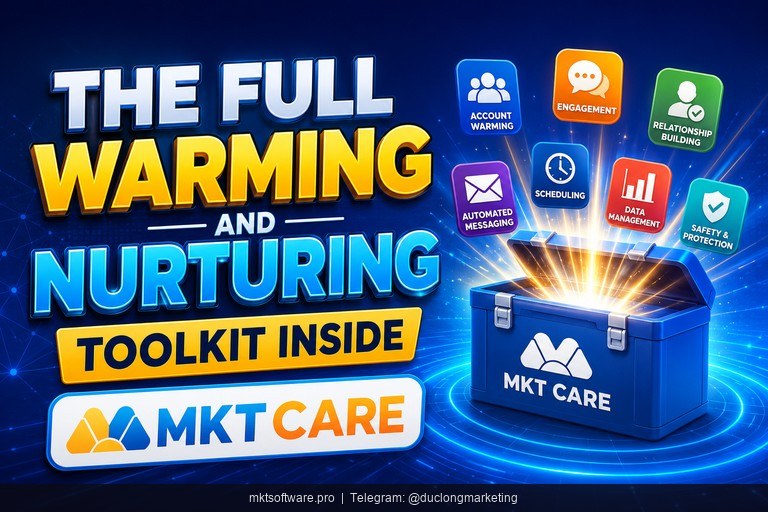
III. The Full Warming and Nurturing Toolkit Inside MKT Care
Quick answer: MKT Care combines account warming with seeding, automated posting, messaging, friend management, and account unlocking — covering the entire lifecycle from new account to active sales profile.
1. Interaction and Seeding Modules
The interaction modules handle the warming phase. Account interaction automation covers auto-reading notifications, scrolling the newsfeed, stories, and videos, plus auto-reacting, commenting, and sharing content based on preset scripts. Friend/UID-based Interaction lets you react, comment, add friends, and message specific users you have already identified. Group-based Interaction auto-scrolls group feeds, comments on posts, and connects with group members.
Once accounts are warm, the seeding modules amplify your content. MKT Care offers five seeding types to boost engagement on target content:
| Module | What It Does | Best For |
|---|---|---|
| Post Seeding | Auto-react and comment on specific post IDs | Boosting individual sales posts or announcements |
| Profile Seeding | Increase engagement on target personal profiles | Making seller profiles look active and credible |
| Video Seeding | Boost views of specific videos | Driving initial traction on product demo videos |
| Livestream Seeding | Simulate interaction effects on livestreams | Creating buzz during live selling sessions |
| Reels Seeding | Enhance engagement on Facebook Reels | Pushing short-form content into recommendation feeds |
2. Posting, Messaging, and Account Management
Automated posting: Mass post to profiles, groups, Reels, and Fanpages. Post by group ID, keywords, or joined groups. MKT Care includes integrated AI for spinning content and 24/7 scheduling with history logging and performance tracking.
Messaging: Bulk message sending to friends by profile, auto-message by personal profile ID, and message via Page ID with access rights. Full message content and timestamps are saved for reference.
Friend management: Send friend requests by suggestions or by name and profile ID. Auto unfriend or unfollow in bulk based on criteria you define — keeping your friend lists relevant and within Facebook’s limits.
Account management: Edit multiple account details via UID, auto-update profile info like avatar and bio, modify privacy and language settings, and update security including 2FA and email/phone. The Spam Appeal feature submits appeals when accounts are flagged, and Account Unlocking handles Checkpoint 282 effectively.
For specialised workflows, pair MKT Care with MKT Post for dedicated Facebook auto-posting or MKT Group for Facebook group management at volume.
IV. Start Warming Your Facebook Accounts With MKT Care in 4 Steps
Quick answer: from installation to your first automated warming cycle takes under 30 minutes — the MKT Care support team sets up the software on your machine and walks you through the warming workflow.
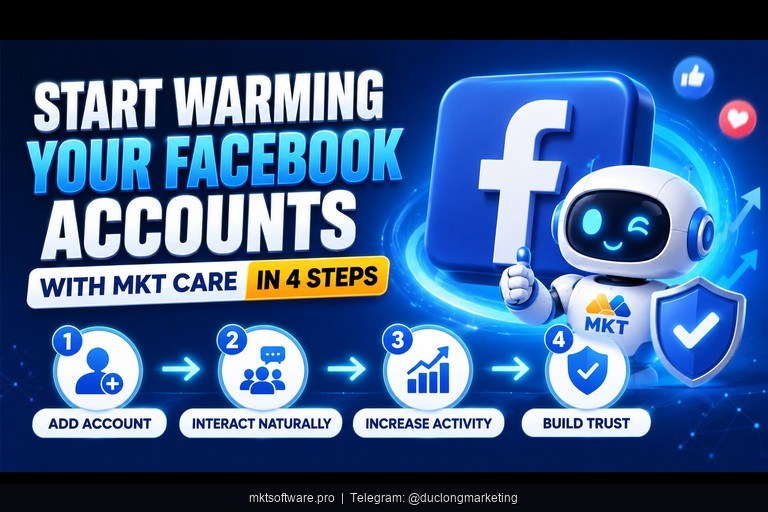
Step 1: Contact Telegram and receive installation. The MKT Software team installs MKT Care on your Windows PC and gives hands-on training focused on the warming and interaction modules. Every customer gets connected to at least 2 dedicated support staff via Zalo for the entire usage period.
Step 2: Import Facebook accounts and assign proxies. Add your accounts to the MKT Care dashboard and assign an individual proxy to each one. The software manages all active accounts from one interface — add, delete, categorise, and annotate as needed.
Step 3: Configure warming activities. Set auto-scroll frequency, reaction scripts, commenting patterns, friend request frequency, and timing delays between actions. MKT Care’s preset scripts give you a working baseline that you can customise as needed.
Step 4: Launch and monitor. Start the warming cycle and track progress across all accounts from one dashboard. Adjust timing, swap scripts, or pause individual accounts without stopping the entire operation.
Over 50,000 customers already use MKT Software products. The pay-once licensing model means no recurring fees — you get free feature updates during your license period and a 100% money-back guarantee within the first 7 days if the software does not work as described. Contact my Telegram to receive full information and start warming your accounts with MKT Care today.
V. Tutorial Video MKT Care
Watch the full video walkthrough of warming up Facebook accounts with MKT Care — from importing accounts and assigning proxies to configuring automated interaction scripts.
Conclusion
Warming Facebook accounts before selling is not optional — it is the difference between profiles that last and profiles that get checkpointed within days. MKT Care automates the entire warming cycle across unlimited accounts, handling daily scrolling, reacting, commenting, and friend-adding while you focus on building your product catalogue and sales strategy. The seeding, posting, and messaging modules then take over once accounts are ready, covering the full lifecycle from new profile to active sales channel.
Ready to stop losing Facebook accounts to checkpoints? Contact my Telegram to receive full information and set up your first automated warming cycle with MKT Care today.